01. First Project (Eclipse + Tomcat 10 + Java 17)
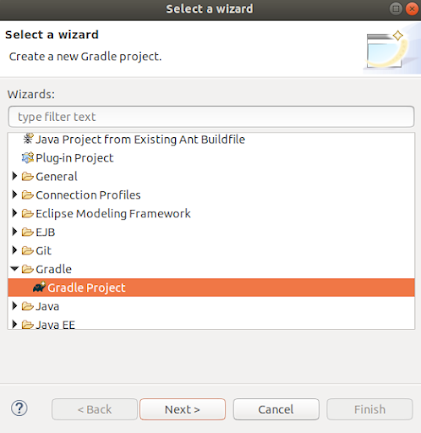
This post has been inspired by Nam Ha Minh . 1. Create a Gradle project From the top left menu select: File - New -Other -Gradle -Gradle Project Give a project name (JSP-02 for instance) Click on "Configure Workspace Settings" Verify versions of Java ( 17 ) and gradle ( 7.4 ) are selected Click finish. Right-click on the created project and select Delete but DO NOT CHECK to delete project contents Now go to the project folder and delete all the files except the folder "lib" Move the content of the lib folder to the project folder and delete the "lib" folder Import the gradle project again to eclipse File - Import -Gradle -Existing Gradle Project Select the project to import ( JSP-02 ) Accept all the default options and click Finish The project has been imported Now you should verify that the java 17 is being used . So right-click on the project and select Build Path - Configure build Path and verify java version 2. Configure the file build.gradle Th...